Buy FIFA Coins Online
Where coins can be had and what each route asks of you
- £6.24
- 100K on PC
- 2 hours
- to your club
- 21 days
- to ask for a refund
Where to get FIFA coins: game, market or shop
People ask where to buy FIFA coins, where can I buy FIFA coins or where do you buy FIFA coins, yet the first source is the game: matches, objectives and rewards. The second is the Transfer Market, where you sell cards. The third is an outside shop, which EA does not allow.
So where buy FIFA coins online? Any outside seller is that third route. Below is how it works here, so you can set it against the hours the first two would cost.

FIFA coin store: what your money actually pays for
A seller’s balance
Coins sit in sellers’ clubs. You pay for part of that balance to move into yours.
A handover
The move is a Comfort Trade: someone logs in to your club once and lists items you end up buying.
A written promise
The payment page names the window, within 2 hours, and how refunds work for 21 days.
FIFA coins trade: the price of trading on the market
Trading is the route EA approves: buy cards below their usual price and resell higher, by hand. The catch is time and the sales tax player guides put at five percent of each final sale.
Brand-new clubs wait for market access too — three objective groups, then up to a day on consoles and two on PC.
FIFA coins seller checks before you pay
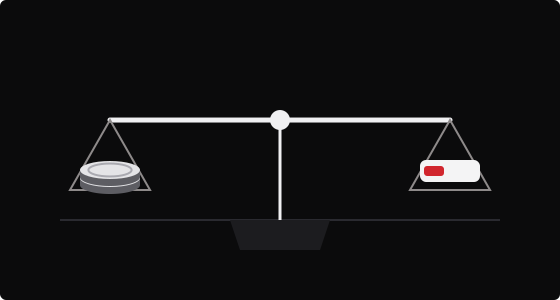
Ask for a rate per 100K, a delivery window, a refund rule and a support channel. If any one is missing, move on.
All four are visible here: the rate on the order desk, the window and refund terms beside it, and live chat on the payment page.
Buy FIFA coins Nintendo Switch: not possible here
Switch and Switch 2 keep one club between the two consoles, yet they run a market cut off from every other platform. No Switch offer exists on the payment page, so you will not find a Switch tile on this board.
Coins from a PlayStation, Xbox or PC order would land in a club you never open. On Switch, playing for them is the only route that fits.
Which cards does the payment page take?
Visa and Mastercard, plus wallets such as Apple Pay and Google Pay, as well as Link and Klarna, or a payment in USDT or USDC. Every method lists its own small charge before you confirm, so you can choose the cheapest way to pay for an identical order.
Must I register on the payment page?
Coin orders do need an account there. Enter an address that is new to them and one is opened automatically, with the login sent to that inbox. Known to them already? Sign in with that account first, then the order carries on.
What will the seller want from me?
Two things, and only once you have paid: your EA sign-in e-mail, plus some backup codes from that account — each one good for a single sign-in. Both go into the order page; after sending they are locked, and live chat fixes a typo if you quote the order number.
Can I order for a mate’s club?
You can enter any club’s details, but its owner must agree, keep the game closed during delivery and accept EA’s rules. Passing coins from one account to another in the game counts as coin distribution, which EA forbids, so this is no way around that.
Online in a few clicks, in your club soon after
Choose your platform and pack; the sum appears right under the packs.
Up to the basket ↑